📊 Stock Market Daily Digest Workflow with Bright Data & Gemini AI
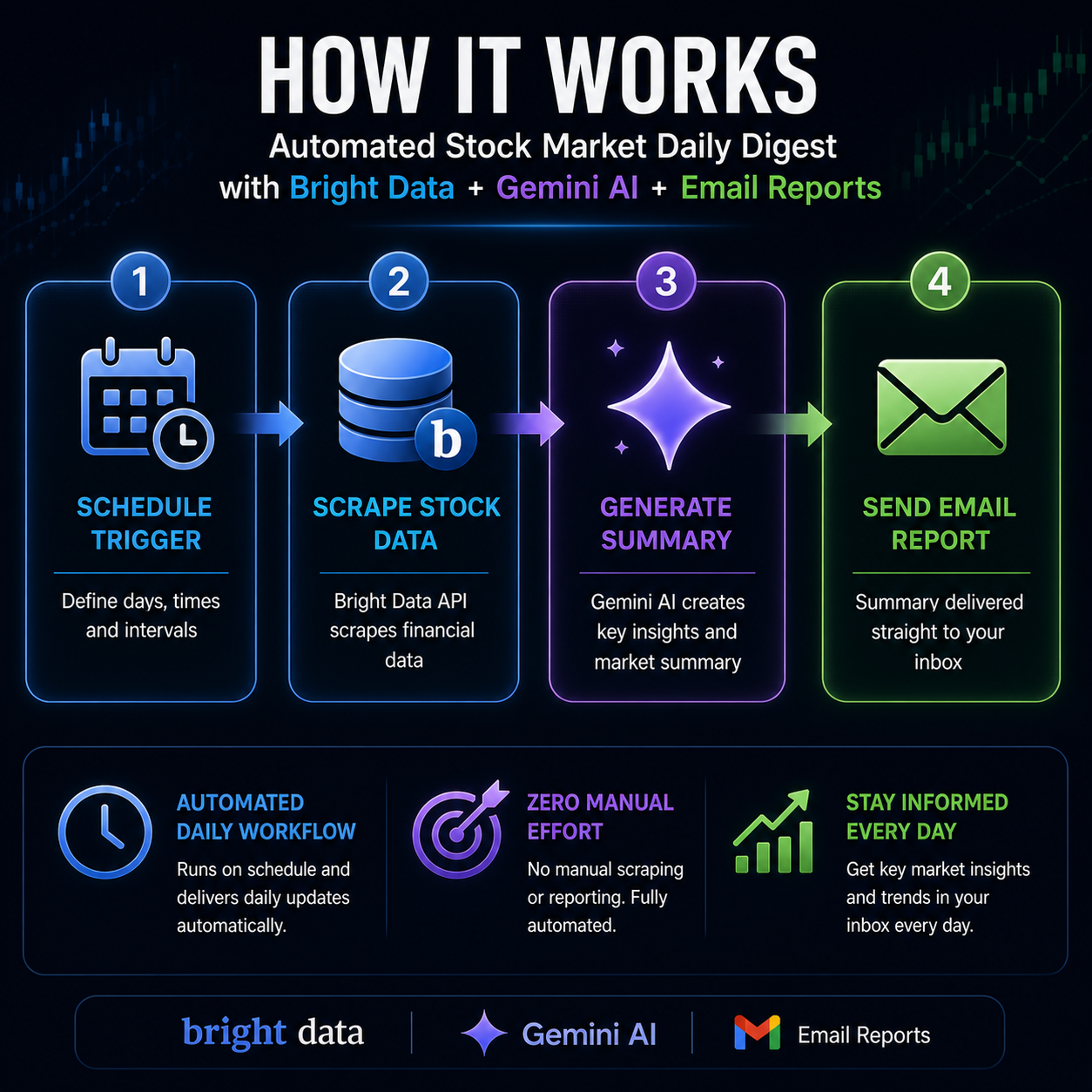
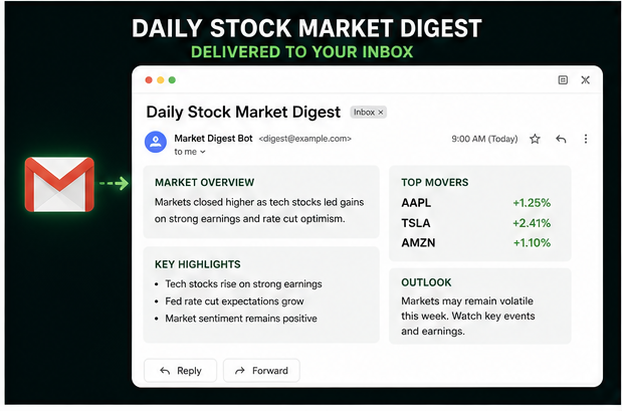
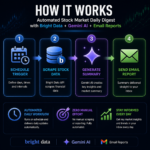
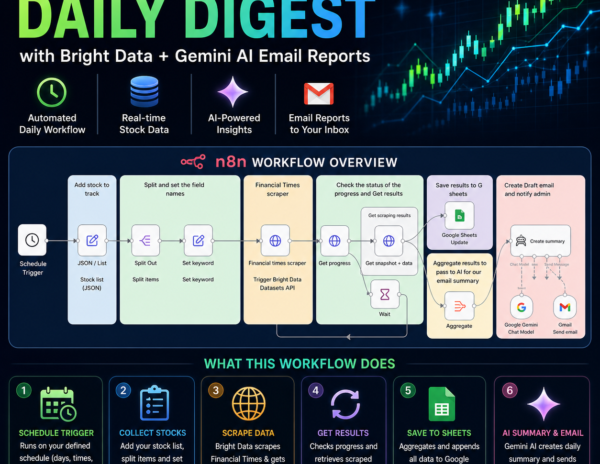
This workflow makes it easier to keep track of the stock market and get an email with a summary of the daily highlights on what happened, including key insights and trends.
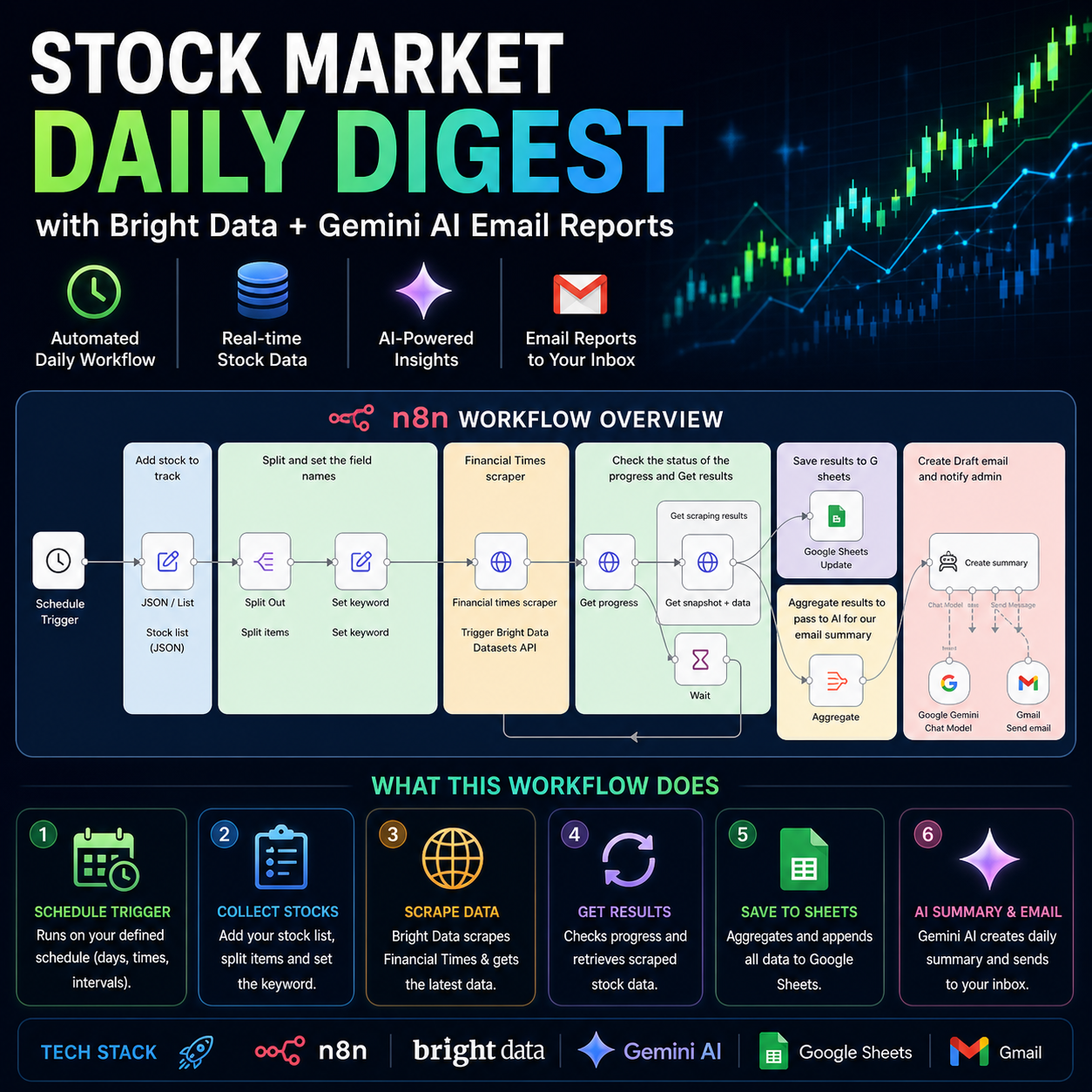
⚙️ WHAT THIS WORKFLOW DOES
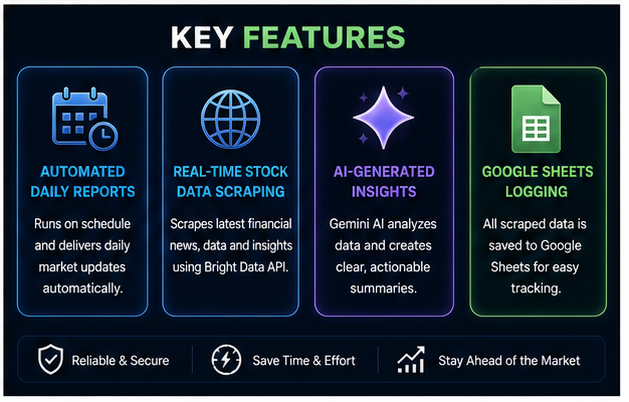
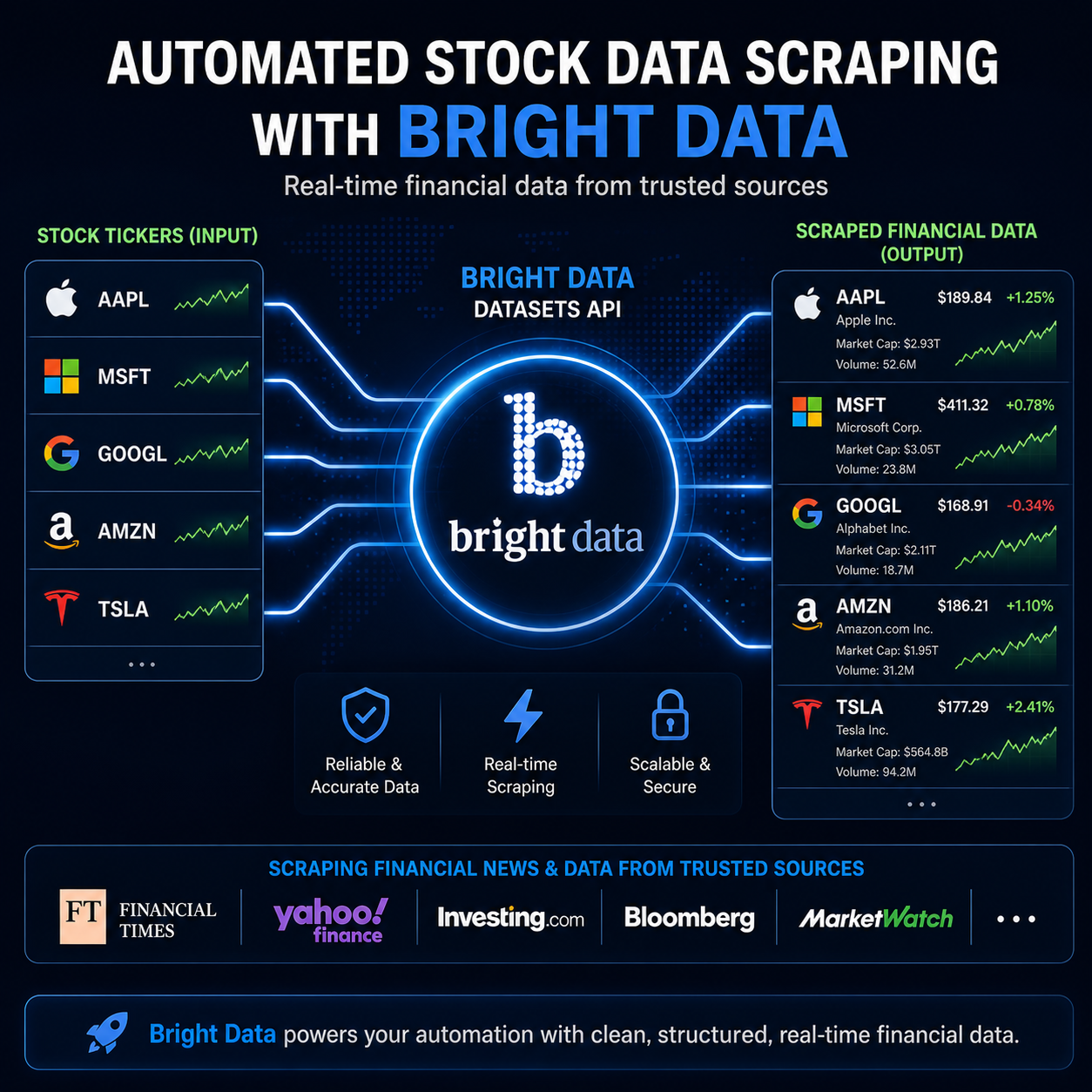
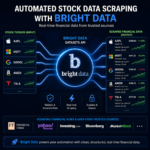
✔ Scrapes financial data using Bright Data
✔ Extracts stock tickers and processes them automatically
✔ Aggregates stock data into a structured format
✔ Generates AI-powered summaries using Google Gemini
✔ Sends email reports with insights and trends
✔ Updates and stores data in Google Sheets
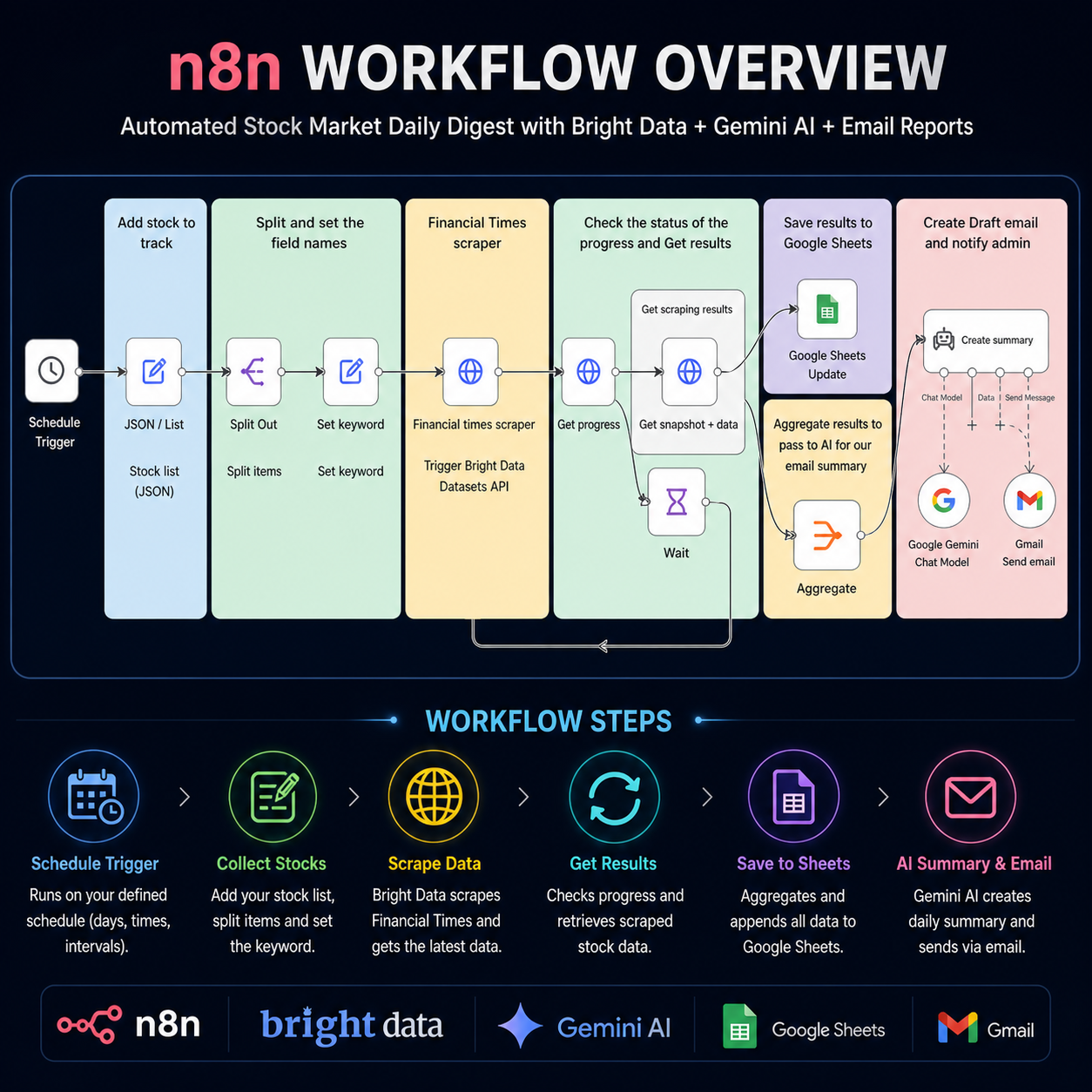
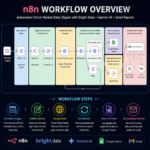
🔄 WORKFLOW PROCESS
1️⃣ Setup Schedule
Define the schedule (days, times, intervals).
2️⃣ Data Preparation
Replace sample stock data with your desired stock list (ticker, name, etc.) in JSON format.
Split Out the fields to have a clean list of the stocks to monitor.
3️⃣ Keyword Extraction
Set keyword node extracts the stock ticker from each item and sets it to the keyword property.
Setup Guide
- Define the schedule (days, times, intervals).
- Replace sample stock data with your desired stock list (ticker, name, etc.) in JSON format.
- Split Out the fields to have a clean list of the stocks to monitor
- set keyword node Extracts the stock ticker from each item and sets it to the
keyword property.
- Financial times scraper Triggers the Bright Data Datasets API to scrape financial data. Set the node as below
- Method:
POST
- URL:
https://api.brightdata.com/datasets/v3/trigger
- Query Parameters:
dataset_id: Replace with your Bright Data dataset ID.include_errors: truetype: discover_newdiscover_by: keyword
- Headers:
Authorization: Bearer YOUR_BRIGHTDATA_API_KEY Replace with your Bright Data API key.
- Body: JSON,
={{ $('set keyword').all().map(item => item.json)}}
- Execute Once: Checked.
- Get progress node Checks the status of the Bright Data scraping job if complete, or running
Setup:
- URL:
https://api.brightdata.com/datasets/v3/progress/{{ $json.snapshot_id }}
- Headers:
Authorization: Bearer YOUR_BRIGHTDATA_API_KEY Replace with your Bright Data API key.
- Get snapshot + data retrieves the scraped data from the Bright Data API. Pass the request as
- URL:
https://api.brightdata.com/datasets/v3/snapshot/{{ $json.snapshot_id }}
- Query Parameters:
format: json
- Headers:
Authorization: Bearer YOUR_BRIGHTDATA_API_KEY Replace with your Bright Data API key.
- Aggregate. Combines the data from each stock item into a single object
- Update to sheet and add all items to This sheet. Make a copy before you can map the data
- create summary node generates a summary of the scraped stock data using the Google Gemini AI model and notifies you via Gmail.
Setup:
- Prompt Type:
define
- Text: Customize the prompt to define the AI’s role, input format, tasks, output format (HTML email), and constraints.
- Google Sheets. Appends the scraped data to a Google Sheet. This should be set to automap so as to adjust to the results found in the request
Important Notes:
- Remember to replace placeholder values (API keys, dataset IDs, email addresses, Google Sheet IDs) with your actual values.
- Review and customize the AI prompt for the “create summary” node to achieve the desired email summary output.
- Consider adding error handling for a more robust workflow.
- Monitor API usage to avoid rate limits.
📊 DATA PROCESSING
✔ Aggregate node combines the data from each stock item into a single object
✔ Update to sheet and add all items to the sheet (make a copy before mapping)
🤖 AI SUMMARY GENERATION
Create Summary Node
✔ Generates a summary of the scraped stock data using Google Gemini AI
✔ Sends output via Gmail
Setup:
- Prompt Type: define
- Text: Customize the prompt to define AI role, input format, tasks, output format (HTML email), and constraints
📁 GOOGLE SHEETS INTEGRATION
✔ Appends scraped data to Google Sheets
✔ Set to automap to adjust to results
📌 IMPORTANT NOTES
✔ Replace all placeholder values (API keys, dataset IDs, email addresses, Google Sheet IDs)
✔ Customize the AI prompt for the “create summary” node
✔ Consider adding error handling
✔ Monitor API usage to avoid rate limits
📥 WHAT YOU RECEIVE
✔ Workflow file
✔ Setup-ready structure
✔ Automated stock data pipeline
✔ AI email summary system
⚠️ NOTE
This is a digital product. No physical item will be shipped.













































Reviews
Clear filtersThere are no reviews yet.